Cat Camera Privacy
Cat cameras can be safe, but only if you lock down accounts and skip the cloud upload by default. Privacy risk here isn’t really about the video itself. It’s about weak passwords, sloppy app permissions, and metadata that quietly maps your daily routine. Before anything else, open the app, review its permissions, and move the camera to a segmented guest network or turn off cloud upload entirely.
TL;DR:
- Using strong, unique passwords, updating firmware regularly, and enabling two-factor authentication are essential to prevent unauthorized access to your pet camera.
- Placing the camera on a guest network, disabling cloud upload, and turning off the microphone significantly reduce privacy risks.
- Owning a camera with local storage and on-device motion detection offers better privacy control compared to models relying on cloud services.
- The legal boundaries primarily concern audio recording and camera placement near private areas or neighbors’ property, requiring careful ethical consideration.
- Reviewing manufacturer privacy policies for data sharing, retention, and AI training clauses is crucial before purchasing a pet camera or sharing footage.
Table of Contents
- What Are the Real Privacy Risks of a Cat Camera?
- Is It Legal to Put a Camera on Your Cat or Home?
- How Do You Set Up a Cat Camera Securely?
- How Do You Choose a Privacy-Focused Cat Camera?
- Where Should You Place a Cat Camera to Limit Exposure?
- Why Trust The Meow Picks on Cat Camera Privacy?
- How Do Camera Apps Actually Collect and Share Your Footage?
- How Do You Review App Permissions Before You Trust a Camera?
- How Do You Spot and Respond to a Hacked Pet Camera?
- What Should You Look for in a Privacy-Respecting Camera Brand?
- What Rights Do You Have Under Home Surveillance Privacy Laws?
- How Do You Get Consent From Household Members and Guests?
- Our Take: Privacy Depends on Setup Choices, Not the Camera Itself
- Make Discreet, Privacy-Friendly Camera Placement Easier
- Sources
- FAQ
What Are the Real Privacy Risks of a Cat Camera?
A cat camera introduces the same weaknesses as any internet-connected device sitting inside your home, plus one your smart thermostat doesn’t have: it watches a room where you talk, undress, argue, and live. The camera itself rarely causes harm. Poor account security and careless data handling do.
Unauthorized access is the biggest entry point. Weak or reused passwords let attackers walk straight into a camera’s live feed using credentials leaked from a completely unrelated breach. Unpatched firmware compounds the problem, since manufacturers often patch known exploits within weeks of discovery, but only if the owner installs the update. Pet cameras are especially vulnerable to unauthorized access through compromised credentials, outdated firmware, and weak password habits, according to Mashable’s reporting on pet camera privacy concerns.
Metadata leaks more than most owners realize. Every recorded clip carries a timestamp, and a pattern of clips (or the absence of any) tells a story: when you leave for work, when the house sits empty, when nobody’s home to answer the door. Privacy advocates argue the real danger from pet cameras isn’t the footage but the occupancy pattern hiding inside the metadata, a signal that matters far more to a burglar than a cat lounging on a windowsill.
Cloud storage and third-party data use deserve scrutiny. Many pet camera apps request microphone and video permissions well beyond what’s needed to watch a cat nap, and some manufacturers reserve the right to use uploaded footage for AI model training, so it’s important to know how to feed your cat properly, as explained in Как да храним възрастна котка: Правилни стъпки за здраве, which can contribute to your pet’s overall wellbeing. Read that clause before you accept it.
Always-on microphones create a false sense of privacy. A camera marketed as “for pets only” can still capture full conversations happening near it, and an always-listening mic gives a hacker or a data broker far more than footage of a cat chasing a laser dot.
Quick risk checklist:
- Reused or simple passwords on the camera account
- Firmware that hasn’t been updated in months
- Cloud storage with vague or absent retention policies
- Microphone left active with no manual override
- No two-factor authentication offered or enabled
Pro Tip: Search the camera’s exact model name plus “CVE” or “vulnerability” before buying. A history of disclosed flaws that got patched fast is a better sign than a spotless record with zero public scrutiny; it usually just means nobody’s looked yet.
Is It Legal to Put a Camera on Your Cat or Home?
Recording your own cat inside your own home is legal everywhere in the United States. The friction starts when the camera’s field of view, or its microphone, extends past your property line or into a space where someone has a reasonable expectation of privacy.
Audio consent laws vary by state and matter more than video laws. Some states require only one party to consent to a recorded conversation, while others require everyone present to consent before audio is captured legally. A pet camera with an always-on microphone sitting in a shared hallway or open living room can cross that line without anyone intending it to, especially with roommates, guests, or a nanny in the home.
Collar cameras and neighbor disputes follow different logic. If your cat wanders and a collar camera happens to film inside a neighbor’s yard or through their window, that’s a gray area rather than a clear violation, but it still generates real friction. If a neighbor’s pet or security camera is capturing your yard, deck, or windows, you have reasonable options:
- Document what the camera can see and for how long, with photos or a timestamped note.
- Ask the neighbor directly. Most disputes get resolved once someone realizes their camera’s angle drifted.
- Request footage deletion in writing if you believe private moments were recorded.
- Contact local law enforcement or a lawyer if the neighbor refuses to adjust the camera or if audio recording appears involved without consent.
Ethical use starts before any legal line gets crossed. Avoid pointing a camera at a bathroom, a guest bedroom, or any space where household members reasonably expect privacy, even if no law technically bars it. Tell roommates, partners, and regular visitors that a camera exists and where it points. Most people don’t mind a camera aimed at the litter box. Plenty mind one they didn’t know was running near the couch where they just had a private conversation.
How Do You Set Up a Cat Camera Securely?
Hardening a cat camera takes maybe twenty minutes, and most of it is one-time setup rather than ongoing maintenance. Work through these in order.
- Put the camera on a guest network or VLAN. Most routers support a separate guest SSID. Connect the camera there instead of your main network so a compromised camera can’t act as a bridge to your laptop, phone, or smart lock.
- Disable UPnP on your router. Universal Plug and Play automatically opens ports for connected devices, which is convenient and also exactly how a compromised camera gets found by scanners on the open internet.
- Set a unique password through a password manager. Never reuse a password from another account. A leaked password from an unrelated service is one of the most common ways cameras get accessed without the owner knowing.
- Enable two-factor authentication if the manufacturer offers it. Not every brand supports 2FA yet, but treat its presence as a real filter when comparing models.
- Turn off cloud upload if you don’t need remote viewing. Local-only storage, when the device supports it, removes an entire category of third-party exposure.
- Disable the microphone unless you specifically need audio. Video alone tells you plenty about a cat’s day without also capturing every phone call in the room.
- Switch to motion-only recording and shorten retention. A camera that records only when your cat moves generates far less footage, and shorter retention windows mean less historical data sitting on a server somewhere if it’s ever breached.
- Update firmware as soon as updates appear, and check the manufacturer’s update history before buying if it’s listed anywhere.
If you’re comfortable with a DIY approach, self-hosted projects like Open-PetCam keep video and analysis entirely on your own network, avoiding cloud uploads and third-party servers altogether. The trade-off is real: you become responsible for your own updates and network security instead of leaning on a manufacturer’s patch cycle. Self-hosted or local-storage setups cut cloud exposure dramatically, but that responsibility for staying current shifts squarely onto you.
Pro Tip: If you go the DIY route with a Raspberry Pi or similar setup, never expose the camera’s local stream directly to the public internet. Use a VPN tool like Tailscale, or put an HTTPS reverse proxy in front of it, and keep your credentials and configuration files off any public repository.
How Do You Choose a Privacy-Focused Cat Camera?
Buying decisions matter more than most owners assume, because the manufacturer’s back-end choices set the ceiling for how private your setup can ever be, no matter how carefully you configure it afterward.
Look for these features on the product page before you buy:
- Local storage support, so footage never has to touch a cloud server at all.
- On-device processing for motion detection, meaning the analysis happens locally instead of shipping raw video to a remote server just to detect movement.
- A clear, specific privacy policy that names what data is collected, how long it’s kept, and whether it’s shared with third parties.
- Two-factor authentication on the account level, not just a password.
- A physical privacy mode, like a lens cover or hardware switch, that actually cuts power to the camera rather than just pausing the app view.
Before buying, or even after, contact the manufacturer directly and ask three questions: how long is footage retained, is footage ever shared with third parties or advertisers, and could footage be used to train AI models. Mozilla’s Privacy Not Included project reviews pet camera brands against exactly these criteria, and it’s worth checking a model against that database before you commit.
There’s a genuine trade-off between cloud convenience and privacy cost. Cloud storage makes it trivial to check on your cat from a work trip, but it also means your footage lives on someone else’s server under someone else’s retention policy. If remote access matters to you, look for a brand offering encrypted cloud storage with a stated, short retention window rather than “indefinite” storage with vague third-party clauses.
Where Should You Place a Cat Camera to Limit Exposure?
Placement does more privacy work than most people expect, often more than any setting inside the app itself.
- Point the camera down at your cat’s favorite perch, bed, or scratching post rather than across an entire room, so it naturally excludes conversation areas.
- Avoid angles that catch windows facing a neighbor’s yard or a shared hallway.
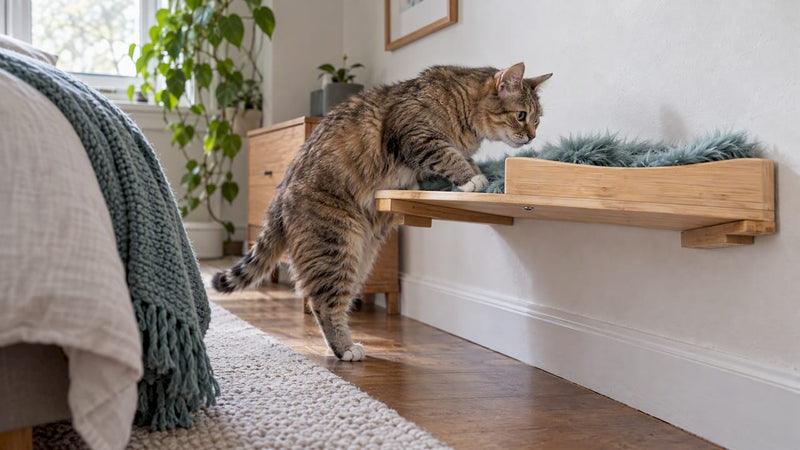
- Use elevated or vertical placement, like a cat tower shelf, to narrow the field of view to just the cat’s activity zone instead of the whole living room. The Meow Picks’ guide to camera placement using furniture and vertical angles walks through exactly this approach.
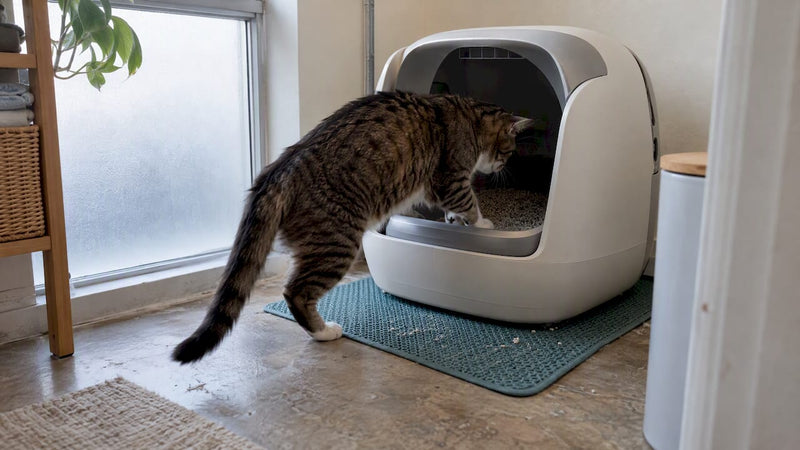
- Consider a motion-only litter box camera instead of a full-room monitor if your main concern is health tracking. These devices record only when your cat enters the box, which narrows your privacy exposure to a single, low-conversation area of the house.
- If continuous coverage matters, weigh a self-hosted option like Open-PetCam against a commercial cloud camera. The four best cat camera alternatives roundup from The Meow Picks covers several non-cloud paths worth comparing before you buy.
Motion-only triggers cut both storage costs and privacy exposure at once, since a camera that only wakes up when your cat walks by generates far less exploitable footage than one recording around the clock.
Why Trust The Meow Picks on Cat Camera Privacy?
The Meow Picks is a curated marketplace of cat furniture, gadgets, and lifestyle gear from independent makers. What that means practically: our product picks weigh real-world placement and everyday usability alongside privacy-relevant features like local storage support and physical privacy modes, and we flag trade-offs honestly instead of glossing over them.
A portion of every order supports cat rescue organizations, which influences product curation to favor pieces that improve a cat’s life without requiring a bad privacy trade.
For placement specifics, our guide on using furniture and vertical angles for camera placement and our roundup of privacy-minded camera alternatives go deeper than this article’s checklist.
How Do Camera Apps Actually Collect and Share Your Footage?
Most cat camera apps route footage through a cloud pipeline by default, even when local storage exists as an option buried in the settings menu. The app asks for camera and microphone permissions during setup, often bundled together so declining one means losing core functionality.
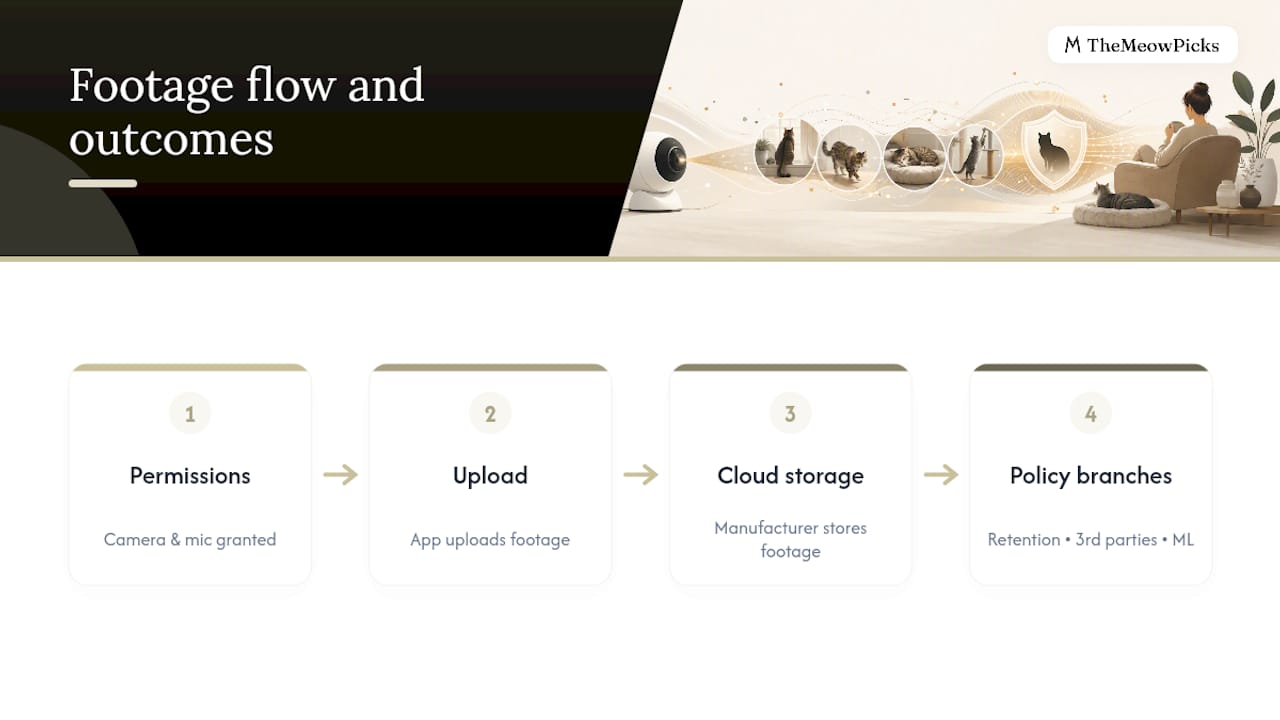
Once footage uploads, the manufacturer’s privacy policy governs what happens next, and those policies vary enormously in specificity. Some name an exact retention window, say 30 days, and state plainly that footage isn’t shared with advertisers. Others use vague language like “third-party service providers” without naming which providers or what data those providers receive. A growing number of policies now include a clause allowing footage to be used for “product improvement” or “machine learning,” language broad enough to cover AI model training without saying so directly.
Read the privacy policy before you buy, not after, and search it for the words “share,” “third party,” and “retain.” If those sections read like boilerplate rather than specific commitments, treat that as a signal, not a formality.
How Do You Review App Permissions Before You Trust a Camera?
Every camera app requests permissions during setup: camera access, microphone access, location, sometimes contacts or storage. Android and iOS both let you audit these after the fact, not just during install.
On iOS, go to Settings, find the app, and review exactly which permissions are toggled on. On Android, the path runs through Settings, Apps, then the specific app’s permission list. Turn off anything the camera doesn’t strictly need to function, microphone access included, if you’ve decided you don’t want audio recorded.
Beyond device-level permissions, read the app’s actual privacy policy for its data-sharing clauses specifically. Many pet camera apps request microphone and video permissions and collect data that could be shared with third parties or used for AI training, so it’s worth confirming what the policy says about both before you accept it, according to Mozilla’s guide on responsibly monitoring pets. If the policy doesn’t clearly answer where footage goes, that’s itself useful information.
How Do You Spot and Respond to a Hacked Pet Camera?
Watch for a few concrete warning signs: the camera moving or panning on its own, a light or activity indicator turning on when nobody’s using the app, unfamiliar login locations in the account’s activity log, or the app showing a “device connected” notification you didn’t trigger.
If you suspect a breach, act in this order. Change the account password immediately, using a fresh one from a password manager rather than a variation of the old one. Revoke all active sessions if the app offers that option, which forces every connected device to log back in. Update the firmware, since many exploits target known, already-patched vulnerabilities that owners simply haven’t installed yet. Enable two-factor authentication if you skipped it during setup.
If the camera keeps showing suspicious activity after a password reset, disconnect it from your network entirely and contact the manufacturer’s support line to report the incident. A manufacturer with a clear, published incident-response process is a meaningfully better sign than one that makes reporting a breach difficult to find.
What Should You Look for in a Privacy-Respecting Camera Brand?
A genuinely privacy-conscious brand answers questions about its practices without deflecting, and it builds privacy protections into the device itself rather than bolting them on as optional settings you have to discover.
Prioritize brands that publish a clear firmware update schedule rather than patching silently and infrequently. Favor models offering local storage as a real option, not just cloud storage with a “coming soon” local mode that never ships. Check whether two-factor authentication exists at all, since its absence in 2026 is a meaningful gap for any connected camera. Cross-reference any brand you’re considering against Mozilla’s Privacy Not Included pet camera reviews before buying, since that project specifically tests the ad copy against the actual privacy policy.
Transparency about AI training use deserves particular attention here. A brand willing to state plainly, in its policy, that footage is never used to train AI models is rarer than it should be, and that specific commitment is worth searching for by name rather than assuming.
What Rights Do You Have Under Home Surveillance Privacy Laws?
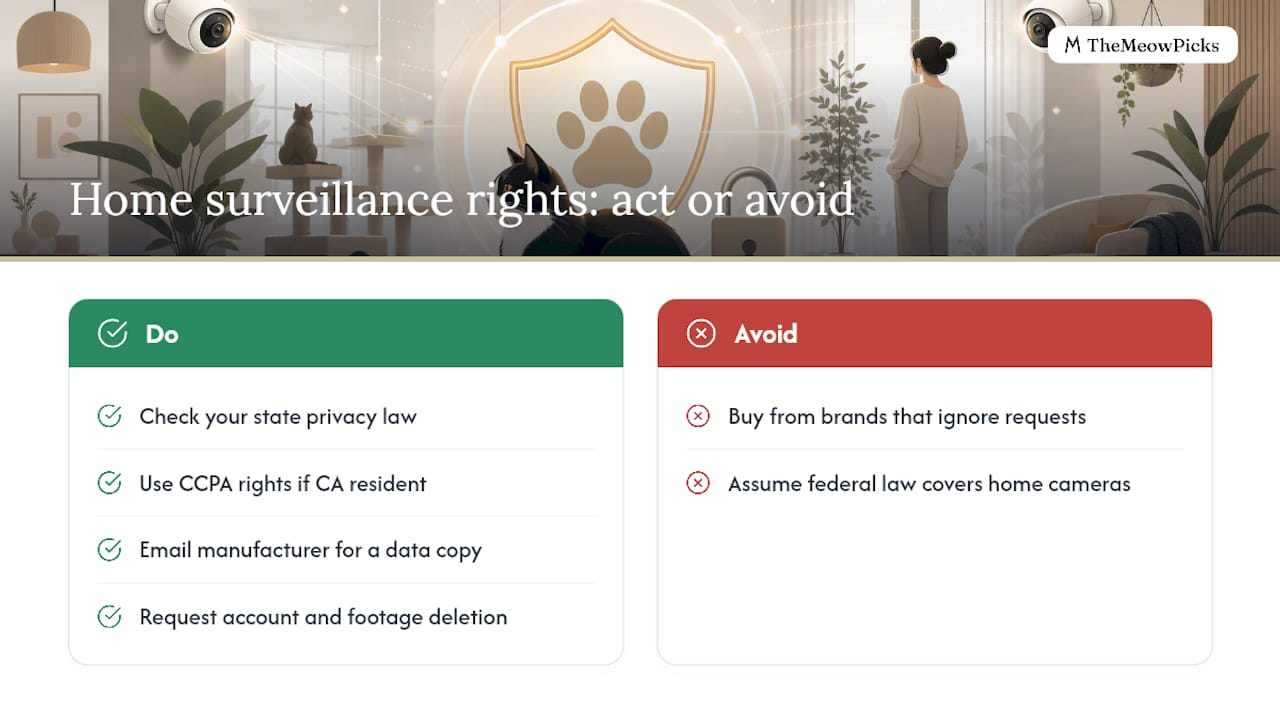
Federal privacy law in the United States doesn’t yet offer one comprehensive framework covering home camera data the way GDPR does across the European Union, but several state laws fill part of that gap. California’s Consumer Privacy Act (CCPA) gives California residents specific rights over personal data collected by connected devices, including the right to know what data a company collects, the right to request deletion, and the right to opt out of having that data sold to third parties.
If you live outside California, check whether your state has passed its own comprehensive privacy law, since several states have adopted similar frameworks in recent years, each with its own scope and thresholds. Regardless of which state you’re in, most manufacturers extend basic data-access and deletion requests to any customer who asks, even where no state law technically requires it, simply because building separate policies per state is expensive to maintain.
Practically, this means you can usually email a camera manufacturer’s privacy or support contact and request a copy of the data they hold on you, or ask them to delete your account and its footage entirely. If a company ignores that request or makes it deliberately difficult, treat that as a strong signal to avoid future purchases from that brand.
How Do You Get Consent From Household Members and Guests?
A camera you’re fully comfortable with can still feel invasive to someone else living in or visiting your home, and that gap causes more household friction than most owners expect going in.
Start with a direct conversation rather than assuming everyone already knows. Tell roommates and partners exactly where each camera points, whether the microphone is active, and where footage is stored. For regular visitors, a simple heads-up the first time they’re in a room with a camera covers most of the ethical ground, even without a formal agreement.
For guests staying overnight or for a nanny, sitter, or cleaner with regular access to your home, put the camera’s existence and location in writing, even briefly. A short text message noting “there’s a camera in the living room aimed at the cat tree, no audio” takes thirty seconds and prevents a much more uncomfortable conversation later. If a shared living situation involves audio recording specifically, get explicit verbal or written consent from anyone who might be recorded, since several states require all-party consent for recorded conversations regardless of your intent.
Our Take: Privacy Depends on Setup Choices, Not the Camera Itself
Most advice about cat cameras treats privacy as a binary: either you trust the manufacturer or you don’t. That framing misses what actually determines your exposure, which is the sum of small choices made during setup, not the brand printed on the box.
A cheap camera with the microphone disabled, local storage enabled, and a unique password sitting on a guest network is safer than a premium model left on factory settings with cloud upload and an always-on mic. Conventional advice tends to fixate on brand reputation and skips the boring parts, like disabling UPnP or setting up 2FA, that do most of the actual work.
If we had to rank priorities for a reader with fifteen minutes to spend, we’d put account security and network segmentation first, cloud settings second, and physical placement third. Legal risk matters, but it rarely materializes for indoor-only setups pointed at a cat bed rather than a shared hallway. Get the technical basics right before worrying about edge cases.
— TheMeowPicks Team
Make Discreet, Privacy-Friendly Camera Placement Easier
Good camera placement starts with good furniture, since a camera mounted on an elevated, stable piece naturally narrows its field of view to your cat’s favorite spots instead of your whole living room. That’s where the right piece of cat furniture does double duty.
The Apawtment Cat House gives you a shelter-style structure sturdy enough to mount a small camera discreetly while keeping the lens focused on your cat’s space rather than the room around it. For a higher vantage point that limits what gets captured at conversation level, the Torre Cat Tower puts a camera up and out of the way, angled down at the cat rather than across the household. If you’d rather tuck a camera fully out of sight while it still tracks your cat’s favorite hideout, the Perla Cat Cave works as an enclosed option built around exactly that kind of focused, low-exposure monitoring.
Orders placed through the marketplace support cat rescue organizations, and customer service is available to help with product fit questions. Browse the Apawtment Cat House product page to see dimensions and start planning your setup today.
Sources
- Your cute pet camera may hide a troubling secret | Mashable
- How To (Responsibly) Spy On Your Pets — Mozilla Foundation
- Open-PetCam (GitHub) — open-source self-hosted pet camera
FAQ
Is It Legal to Put a Camera on Your Cat?
Yes. Recording your own cat inside your own home is legal throughout the United States, though audio recording can trigger separate consent rules depending on your state, especially in shared living spaces.
Can a Pet Camera Be Hacked?
Yes, typically through weak or reused passwords, unpatched firmware, or exposed cloud accounts rather than a flaw in the camera hardware itself. Unique passwords, two-factor authentication, and regular firmware updates close most of that gap.
Can Someone Access Your Camera Without You Knowing?
It’s possible if your account credentials are weak, reused, or leaked in an unrelated data breach, or if the camera’s firmware carries an unpatched vulnerability. Watch for unfamiliar login locations in your account activity log and revoke sessions immediately if you spot one.
What Is the Best Way to Monitor Cats at Home Privately?
Look for a camera offering local storage, on-device motion detection, and a physical privacy mode, then pair it with a guest network and two-factor authentication. Motion-only litter box monitors or self-hosted setups like Open-PetCam offer narrower privacy exposure than continuous cloud-connected cameras for owners who want tighter control.
Do Pet Camera Apps Share My Data With Third Parties?
Some do, particularly for “product improvement” or AI training purposes buried in vague policy language. Read the manufacturer’s privacy policy specifically for the words “share” and “retain” before you buy, not after.